Case study · Concept work · Sep 2026
Six directions. One playground in 3D.
A concept redesign for Parklab, a Singapore company that designs and builds playgrounds, sports surfaces and parks. We made four presentation directions and two full site versions, switchable from one header. Every direction shares the same real-time 3D model, which you can orbit, re-finish and set on three ground surfaces.
- Client
- Parklab, Singapore
- Date
- September 2026
- Scope
- Design directions, front end, real-time 3D
- Stack
- HTML, CSS, JavaScript, Three.js r160
- Status
- Concept for review, not the live site
01 · The work
Four directions, two full versions.
Each direction is a two-section page: a hero with a concept visual, then an interactive 3D study with its own materials and camera route. The full versions show how a complete site reads end to end.
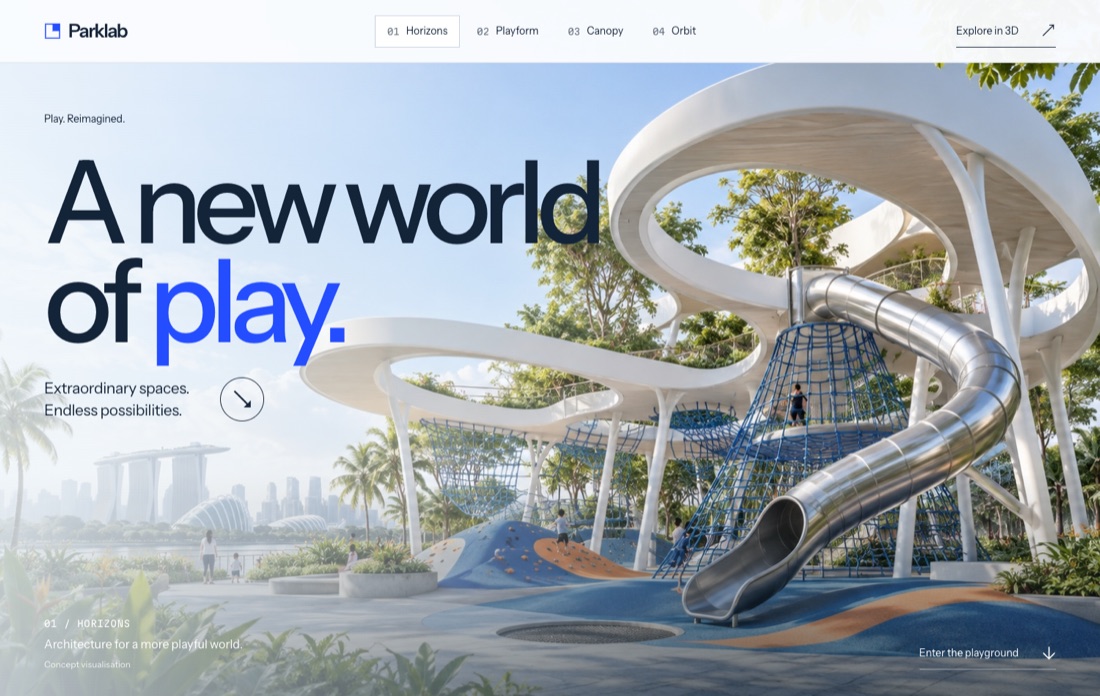
Architecture and scale
Open space, light ground and cobalt. A studio-white model with blue accents.
Open direction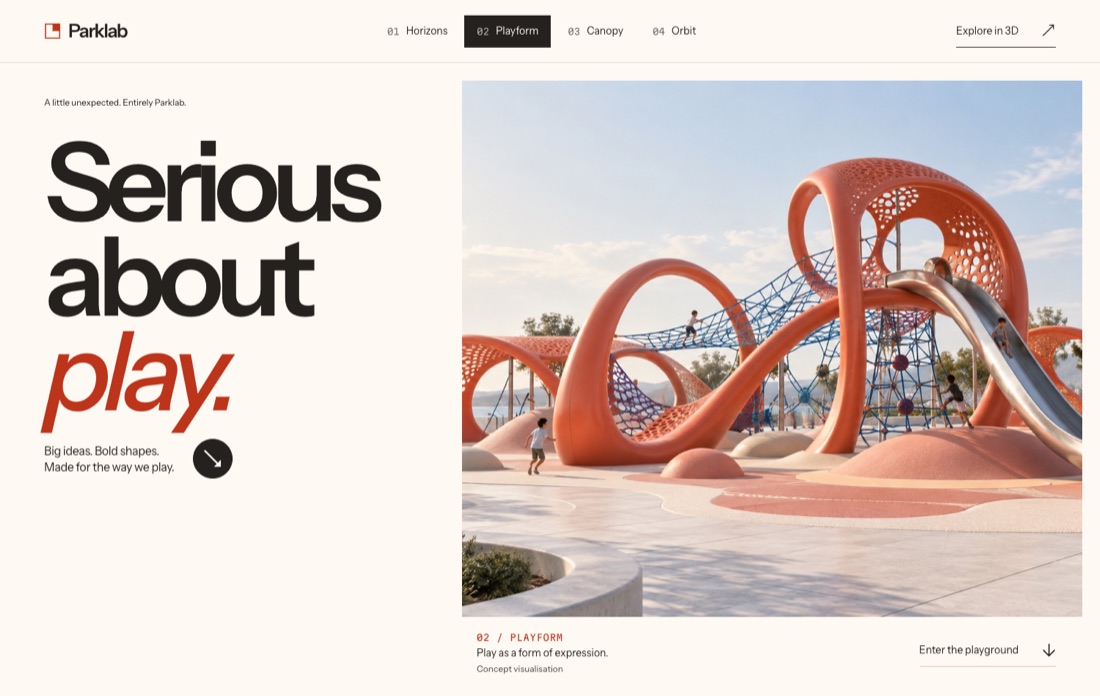
Bold type, asymmetry
Orange sculptural forms, warm materials and a camera route of its own.
Open direction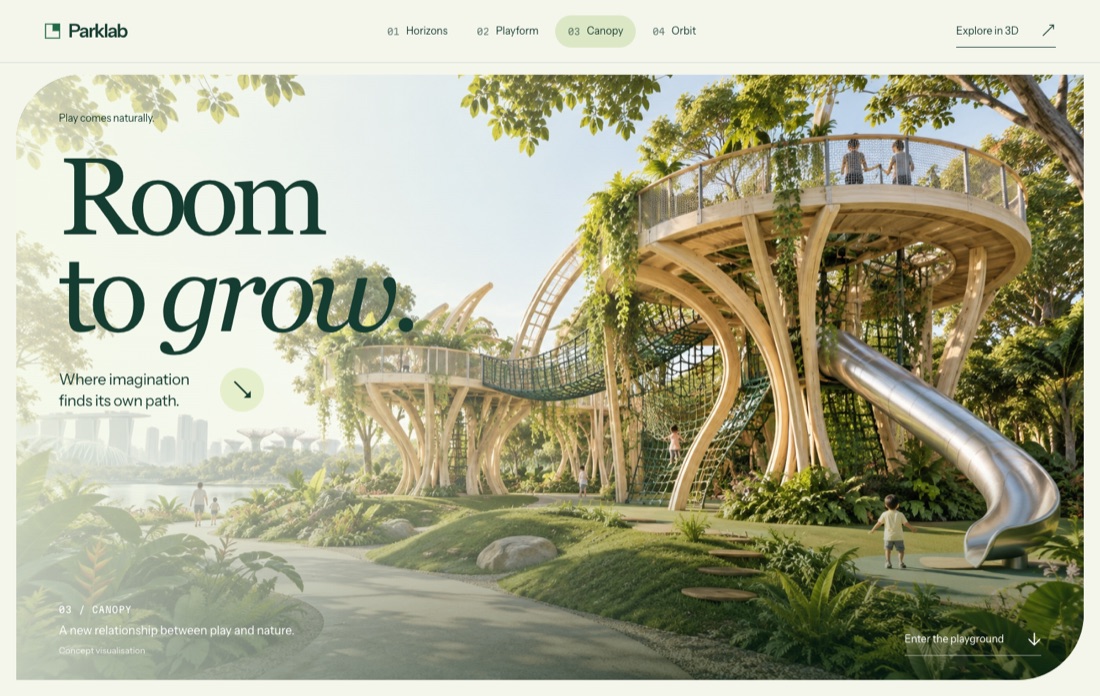
Nature and timber
A green setting, an editorial serif and a timber-toned structure on turf.
Open direction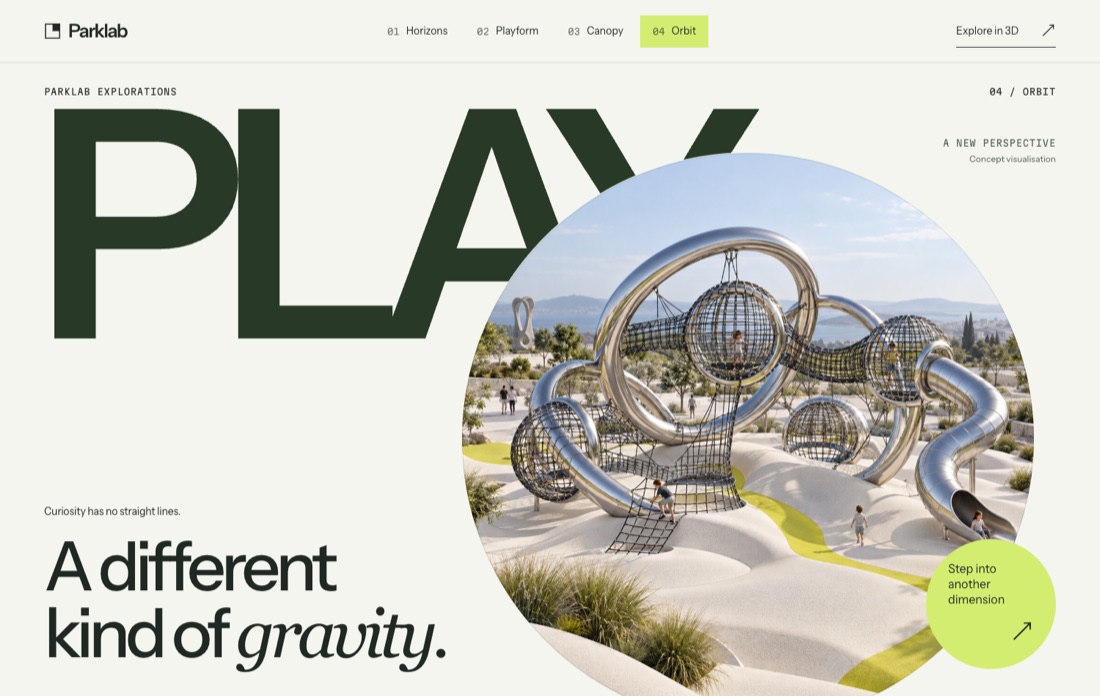
Experimental poster
A huge PLAY, a circular frame, lime and metal. The model stands on a round plinth.
Open direction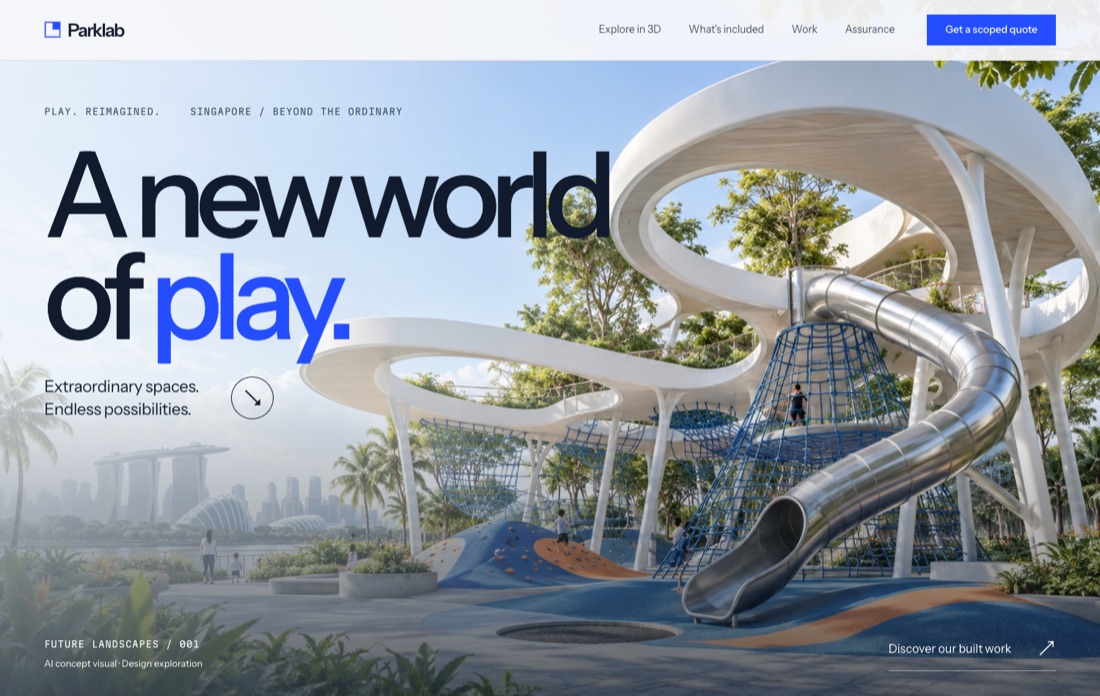
The complete light site
Concept hero, scroll-led 3D study, services, scope, process, built work, accreditations and a five-step quote builder.
Open version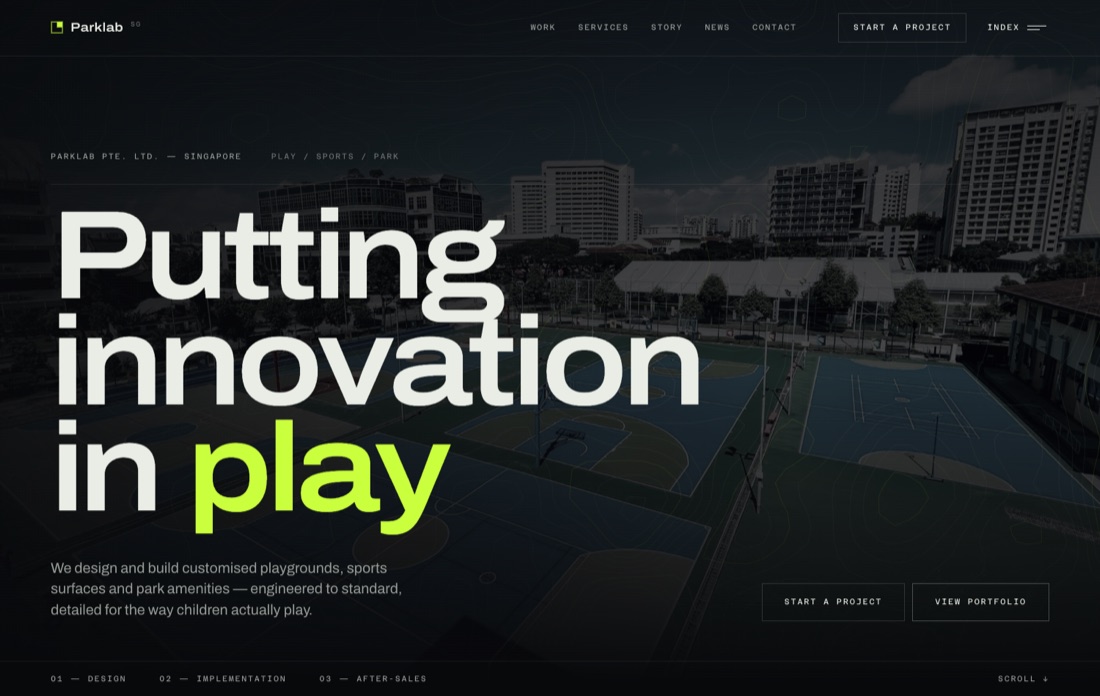
The first dark direction
Near-black ground, acid lime, variable-width Archivo and a generated topographic contour field in the hero. No 3D.
Open version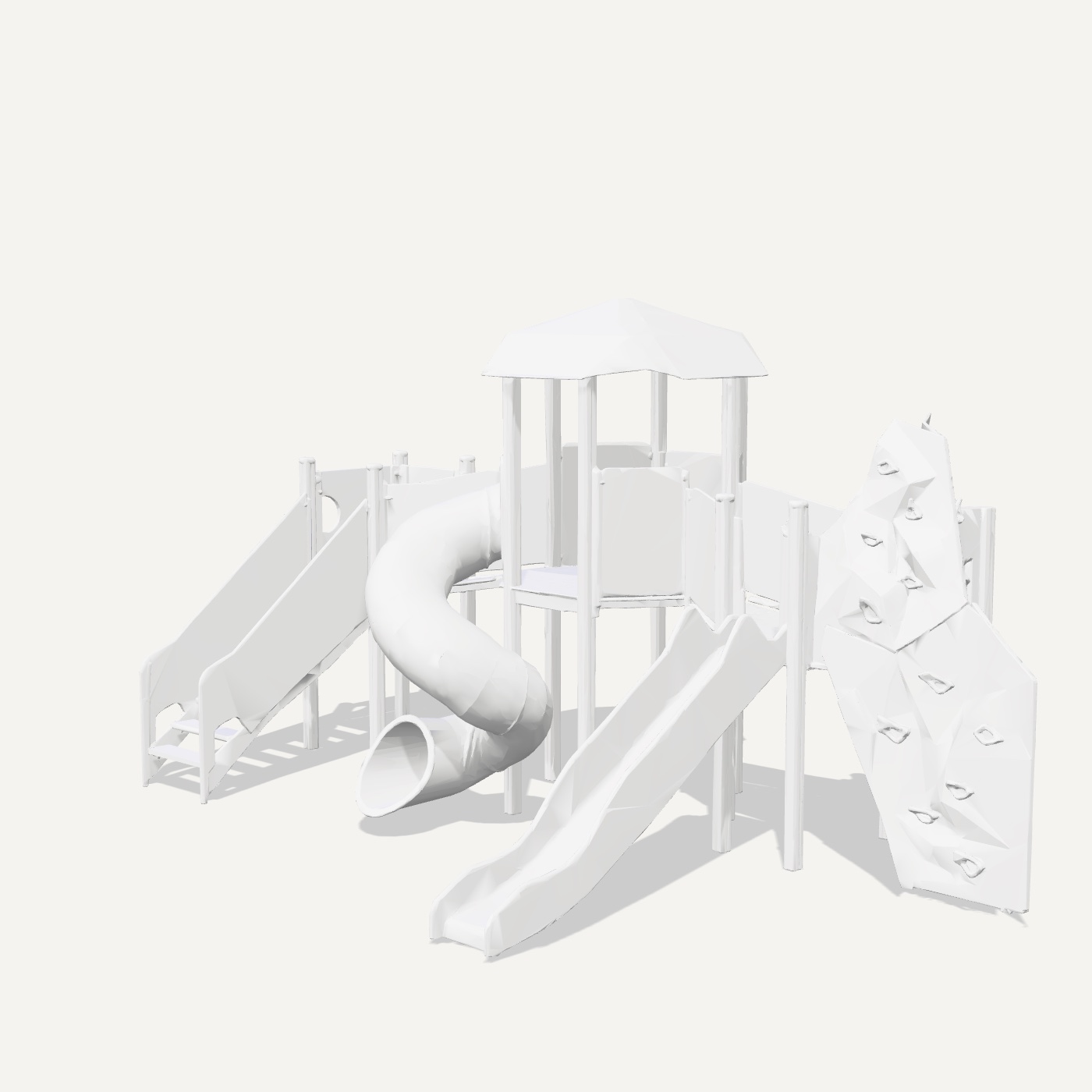
From drawings to a web model
Six orthographic views, the generated model, the optimisation numbers, a live viewer and nine renders.
Open the pipeline02 · Client and brief
A builder of places to play.
Parklab
Parklab designs and builds playgrounds, sports surfacing and park amenities in Singapore. Its public site lists five accreditations and a partnership with Playpower.
The full versions reuse what parklab.com.sg publishes: positioning, service copy, process, contacts, five built projects with their photos, news and accreditations. The public site gives no revenue, timelines or guarantees, so none appear here.
- TÜV SÜD
- IPEMA
- bizSAFE Level 4
- SGBC
- PEFC
How the brief moved
- Brief
Rebuild parklab.com.sg in a future-facing style, at the level of a design studio. No dot grids, default fonts or other generative-design clichés.
- Version 1
A dark site with acid lime and a generated contour field. Feedback: not modern or futuristic enough.
- Revised brief
Real 3D playgrounds instead of decoration, a light palette and a clear sales structure. A rough 3D model made in Magnific AI came with it.
- Review format
Four directions cut to two sections each: a hero and a 3D study. The full versions stay online for comparison.
03 · How it is built
One scene module, four camera routes.
All four directions load the same three ES modules: stage.js,
scene.js and camera-path.js. Each page passes its own theme,
which sets materials, ground colours, lighting accents and the camera route. Plain HTML,
CSS and JavaScript, no build step.
Scroll
Native scroll drives the camera
The 3D section is a tall block with a sticky stage. Scroll progress maps to three camera stops with eased interpolation. The wheel is never intercepted, and the chapter buttons scroll to points on the same route.
Rendering
Frames only on demand
The scene draws while the camera is still moving and stops once it settles. Rendering pauses when the stage leaves the screen or the tab is hidden. Pixel ratio is capped at 1.75.
Loading
The model loads late
The GLB starts loading when the 3D section comes within 650 px of the viewport, with a progress bar. Three.js r160 and its loaders ship with the site, not from a CDN.
Format
meshopt and WebP
The model uses EXT_meshopt_compression, EXT_texture_webp and quantised attributes: one mesh and one PBR material with a single 1024 px base-colour texture.
Surfaces
Ground as geometry
Rubber, turf and court pads are extruded shapes, and the court gets a centre ring. The model switches between a studio finish (metal on Orbit) and its original textures.
Fallbacks
Reduced motion, short screens, no WebGL
With reduced motion, or on screens under 760 px tall, the 3D block becomes a normal section with view buttons. Without WebGL, or if the model fails to load, the stage shows the concept image.
04 · Image to 3D
From six drawings to a 1.37 MB model.
The model that came with the brief was a Magnific AI export: 946,531 triangles and 29.6 MB. We cut it to 505 KB for the first light version, but its thin ropes and nets had collapsed in reconstruction. So we rebuilt the asset from drawings made for image-to-3D.
-
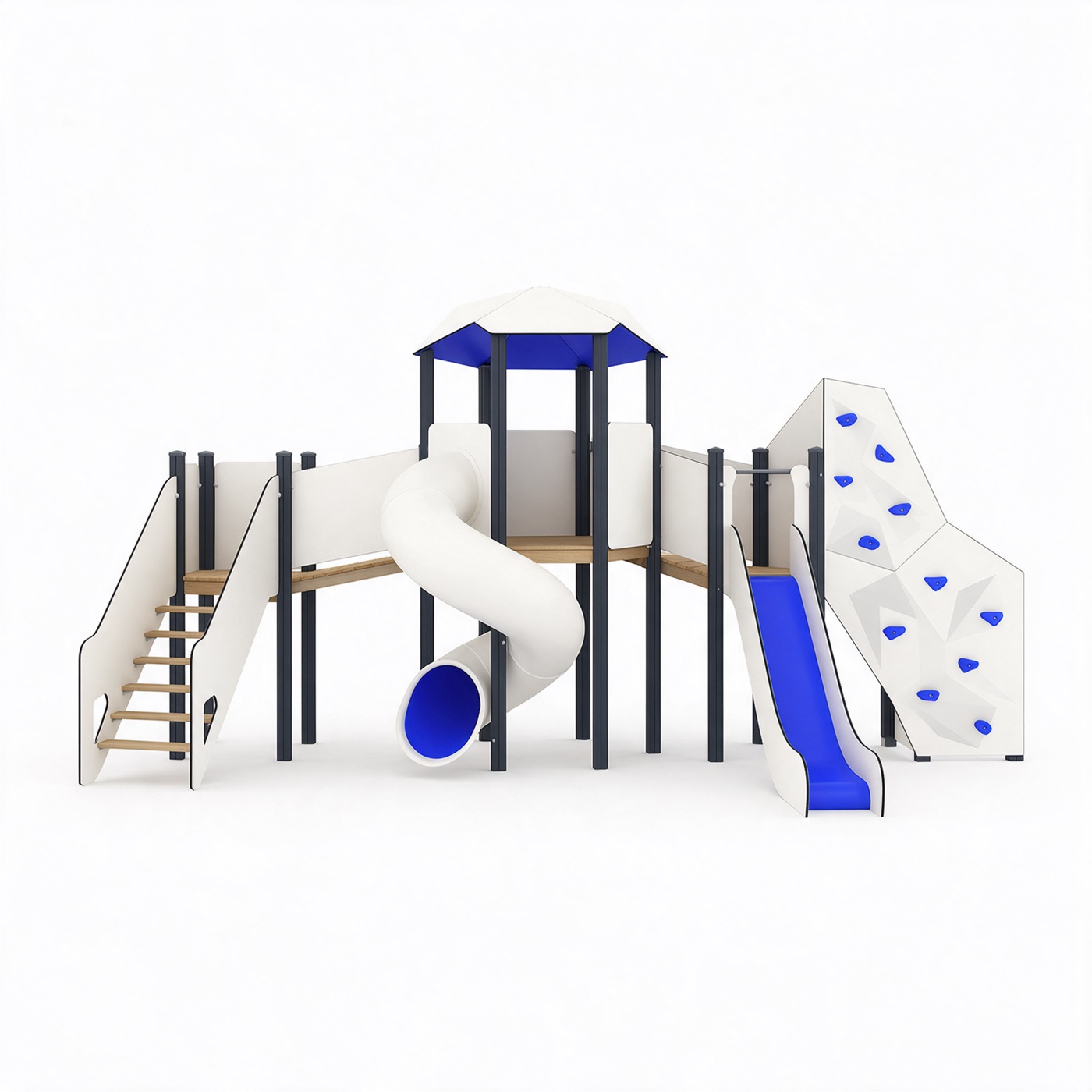
Step 1 · Views
Orthographic drawings
A prompt pack for one chunky structure that reconstructs cleanly: no ropes or nets, no shadows, a white background. Seedream 5 Pro produced six views at 2048 px.
-
Step 2 · Model
Multi-view image to 3D
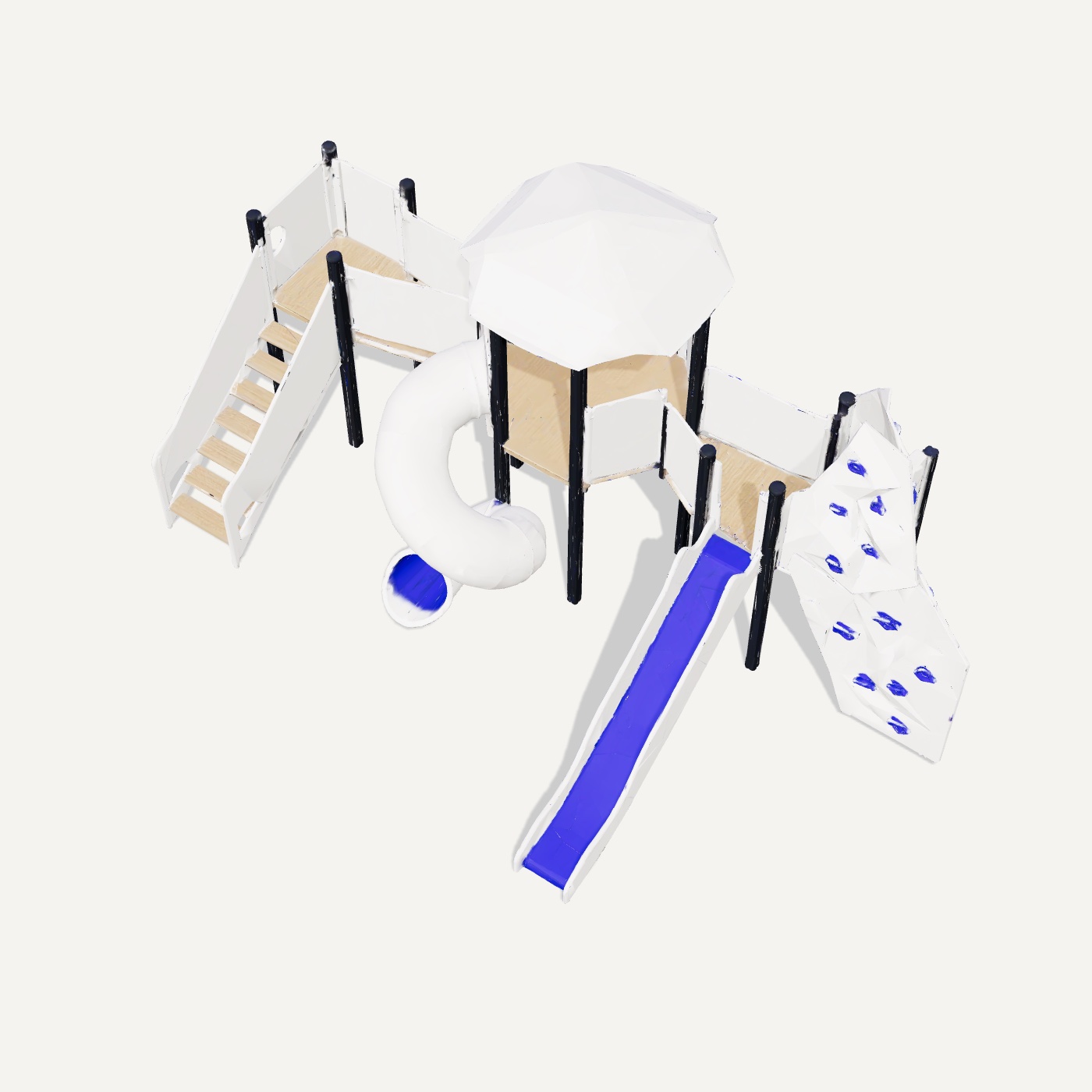
Four elevations went to Tripo v3.1 and Meshy 7. We kept Meshy for its flat panels, straight posts and accurate blue: 13.1 MB and 186,902 triangles.
-
Step 3 · Web
Optimised for the browser
gltf-transform simplified the mesh, packed it with meshopt and moved textures to 1024 px WebP: 1.37 MB and 65,695 triangles. A 2048 px version of 2.15 MB stays for close-ups.
One lesson from the views: with a reference image, describing the camera angle did not work. Describing the silhouette of the result did, for example “narrow and tall, 45 percent of the frame width”.
Pipeline page and live viewer05 · Read this first
What this is, and what it is not.
- Concept work for a design review, not Parklab’s live website.
- Hero images are generated concept visuals, labelled on every page. They are not photographs or built Parklab projects.
- The 3D model is one generated play structure, not a Parklab product or an engineering model. Every direction reuses it, and it is not the object in the hero images.
- The quote builder in the full light version has no backend. Built-work photos in the full versions come from Parklab’s public site.